
Introduction
Have you ever seen a great recipe, a travel idea, or a beautiful outfit on someone’s Instagram profile and wanted to save it for later? You are not alone. Instagram Highlights are perfect for keeping these memories.
However, sometimes you might want to save these photos or videos without the account owner seeing your name on their viewer list. You might want to browse privately. This guide will show you exactly how to do that. We will look at a safe, easy way to save public Instagram Highlights without logging in or sending any notifications.
What Are Instagram Highlights?
First, let’s quickly explain what Highlights are. Normally, an Instagram Story disappears after 24 hours. It is gone forever unless the user saves it. Instagram Highlights are groups of Stories that a user chooses to pin to their profile permanently. They appear as little circles right under the bio section.
People use them for many things:
- Travel Diaries: Showing off a trip to Japan or Paris.
- Menus and Recipes: Restaurants sharing food items.
- Q&A Sessions: Answering follower questions.
- Products: Shops showing off new items.
Unlike regular Stories, Highlights stay on the profile until the owner deletes them.
Can Someone See If You Save Their Instagram Highlights?
This is the most common question. The answer depends on how you view and save them.
- If you use the Instagram App: Yes, they can often see you. If the Highlight is based on a Story posted less than 48 hours ago, your name will appear in their viewer list. Even for older Highlights, Instagram does not have a built-in "Download" button for other people's content. You would have to take a screenshot or screen recording. While Instagram usually doesn't notify users of screenshots for Stories, viewing the Story usually puts your name on the list.
- If you use a Third-Party Tool: No, they cannot see you. This is the secret. If you use a website to view the content instead of the Instagram app, you are not logged into your account. The website views the public data for you. The account owner will not see your username, and they won't get a notification that you saved the photo or video.
How to Save Instagram Highlights Without Them Knowing (Step-by-Step)
The easiest way to do this is by using a web-based tool. You don't need to be a tech expert, and you don't need to install any suspicious apps on your phone. We recommend using Byviewer (byviewer.com). It is a simple tool designed exactly for this purpose. It works on your phone or computer browser.
Here is the step-by-step process:
Step 1: Find the Username
Open the Instagram app or website and go to the profile of the person whose Highlight you want to save. Copy their username (the name at the very top, like @billieeilish).
Step 2: Open Byviewer
Open your web browser (Chrome, Safari, etc.) and go to https://www.byviewer.com/.
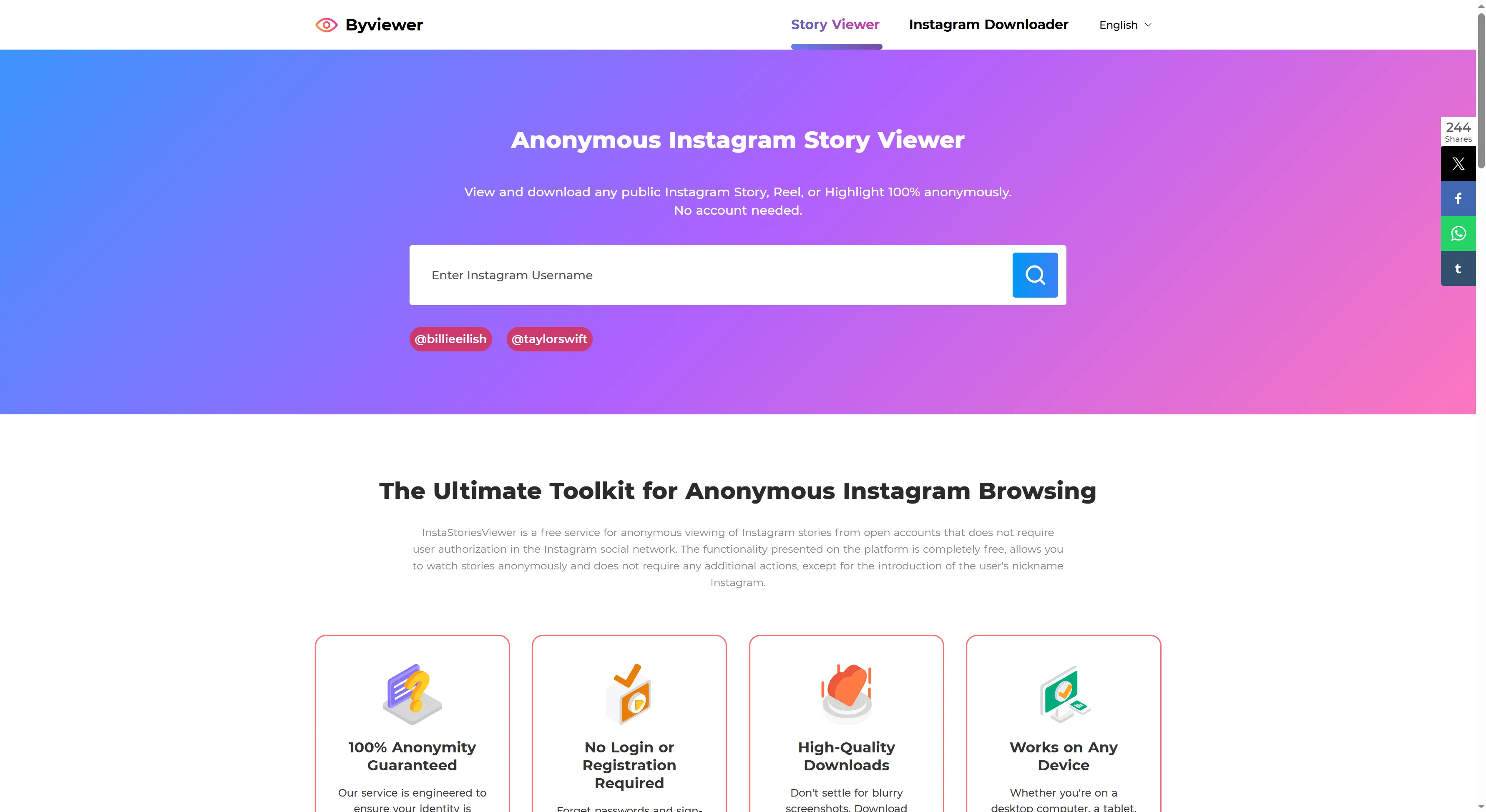
Step 3: Search for the Account
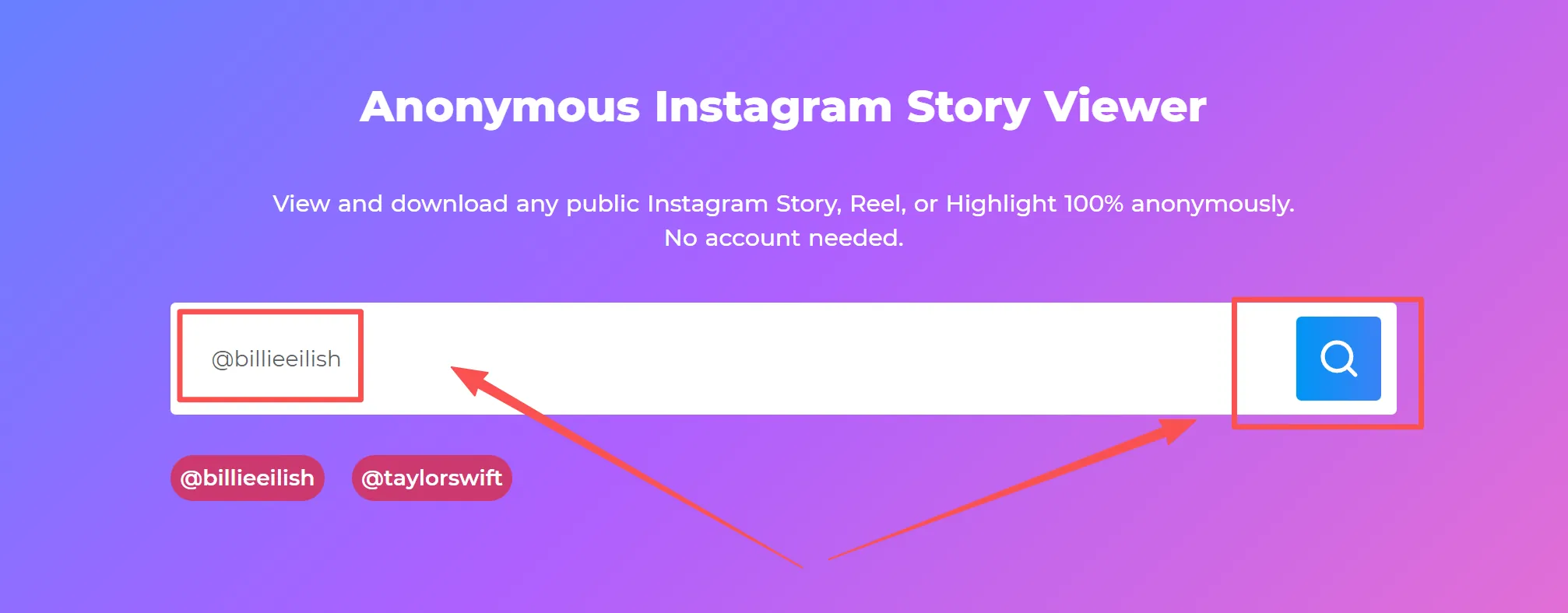
On the Byviewer homepage, you will see a search bar.
- Type or paste the username you copied into the box.
- Click the Search button.
- Wait a moment for the profile to load.
Step 4: Browse the Highlights
Once the profile loads, look for the Highlights tab or section. You will see the circular icons just like on Instagram. Click on the Highlight folder you want to view.

Step 5: Save the Content
You will now see the individual photos or videos inside that Highlight.
- Find the specific image or video you want.
- Click the Download button underneath it.
- The file will save directly to your phone’s gallery or your computer’s downloads folder.
That’s it! You have the file, and the owner has no idea you were there.
Why Use Byviewer to Save Instagram Highlights?
There are many tools out there, but Byviewer is a great choice for a few practical reasons:
- No Login Required: You do not need to give your Instagram password or email. This keeps your account safe.
- 100% Anonymous: Since you aren't logging in, there is no link back to your profile.
- No App Installation: You don't need to download an app that takes up space on your phone. It runs in your browser.
- Free to Use: It doesn't cost money to save public content.
- High Quality: It downloads the photo or video in the original quality, so it isn't blurry like a screenshot.
Things to Keep in Mind
While saving Highlights is easy, it is important to use these tools responsibly.
- Public Profiles Only: These tools only work on public accounts. If a user has set their profile to "Private" (the lock icon), you cannot view or download their content using these tools. This is a good thing—it respects their privacy settings.
- Respect Copyright: Just because you can download an image doesn't mean you own it. You can save it for personal inspiration (like a decoration idea), but you should not repost it as your own work without asking for permission.
- Internet Connection: Since this is a browser tool, you need a stable internet connection for the images to load.
Common Problems and Fixes
Problem: "The profile isn't loading." Fix: Double-check the spelling of the username. Make sure there are no extra spaces. Also, confirm the account is actually public.
Problem: "The download button isn't working." Fix: Refresh the page. If you are on an iPhone, check your "Files" folder, as downloads sometimes go there instead of the main Photo app.
FAQ (Frequently Asked Questions)
Is it illegal to save Instagram Highlights? No, it is not illegal to save content for personal use (like keeping a recipe). However, reposting someone else's content as your own without credit violates copyright rules.
Can I save Highlights from a Private account? No. Third-party viewer tools cannot access private accounts. You must follow a private account to see their content.
Will the user be notified if I screenshot a Highlight? Currently, Instagram does not notify users if you take a screenshot of a Highlight or Story. However, viewing it in the app still puts your name on the viewer list.
Do I need an Instagram account to use Byviewer? No. You do not need an account at all. You can use the tool even if you have never signed up for Instagram.
Can I download videos as well as photos? Yes. If the Highlight contains a video, the tool will let you download the video file (usually as an MP4).
Conclusion
Saving Instagram Highlights is a great way to keep track of memories, ideas, and inspiration. By using a browser-based tool like Byviewer, you can view and download this content safely and anonymously. Just remember to respect the content creators and only use these methods for public profiles. Now you can build your own library of inspiration without worrying about notifications!